
Your Project Documents, Instantly
Accessible. No Paper, No Hassle.
Connect Docs is your all-in-one solution for accessing truss-related documentation quickly and securely, right from the jobsite. By simply scanning the QR code on the truss tag, you’ll have instant digital access to everything you need, including truss drawings, MiTek engineering documents, jobsite installation guides, safety information, and any future documentation tied to your truss package.
Instead of searching through paper packets, email chains, or text messages, Connect Docs centralizes all critical resources in one place. This makes your workflow faster, easier, and more reliable, giving you the information you need exactly when and where you need it.
HOW TO USE CONNECT DOCS
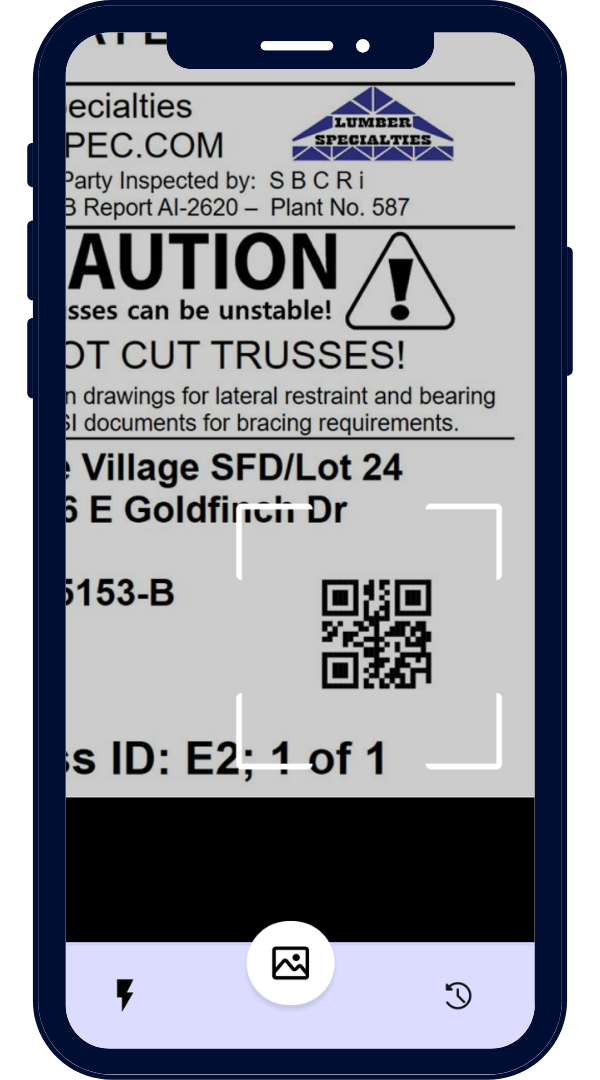
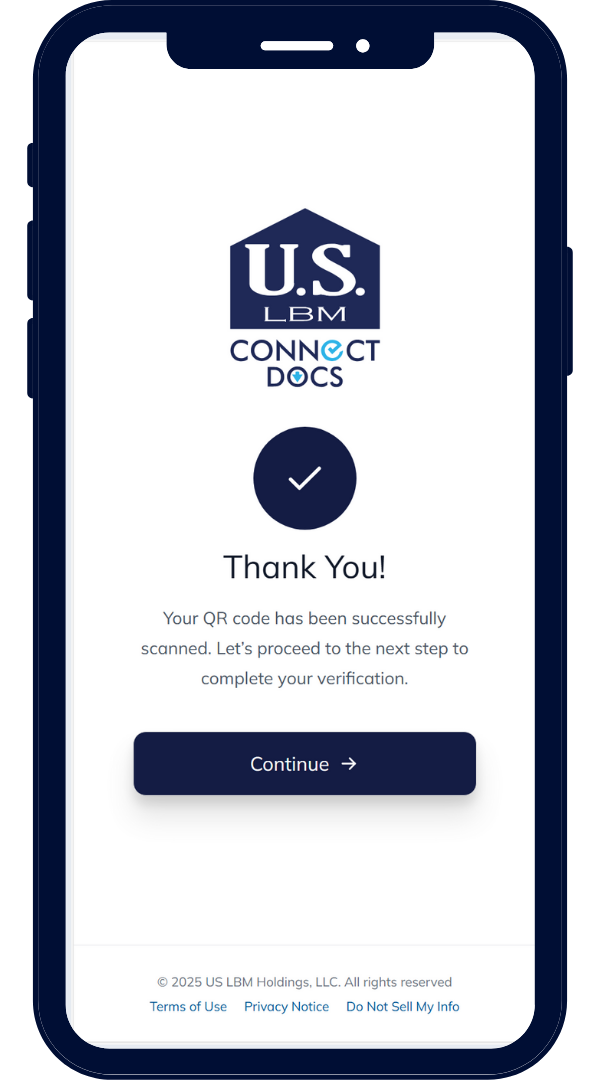
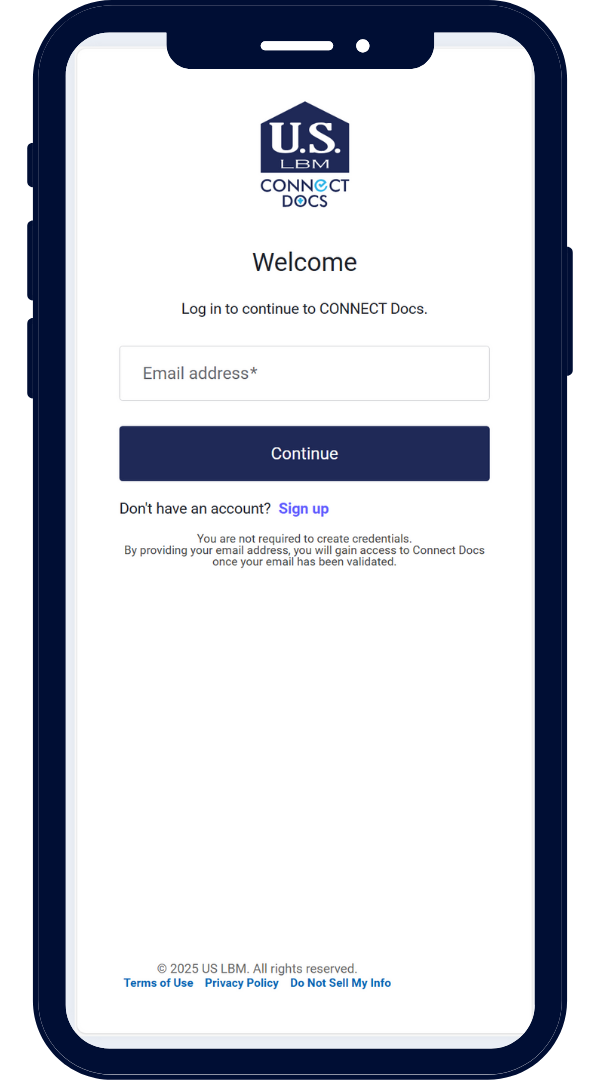
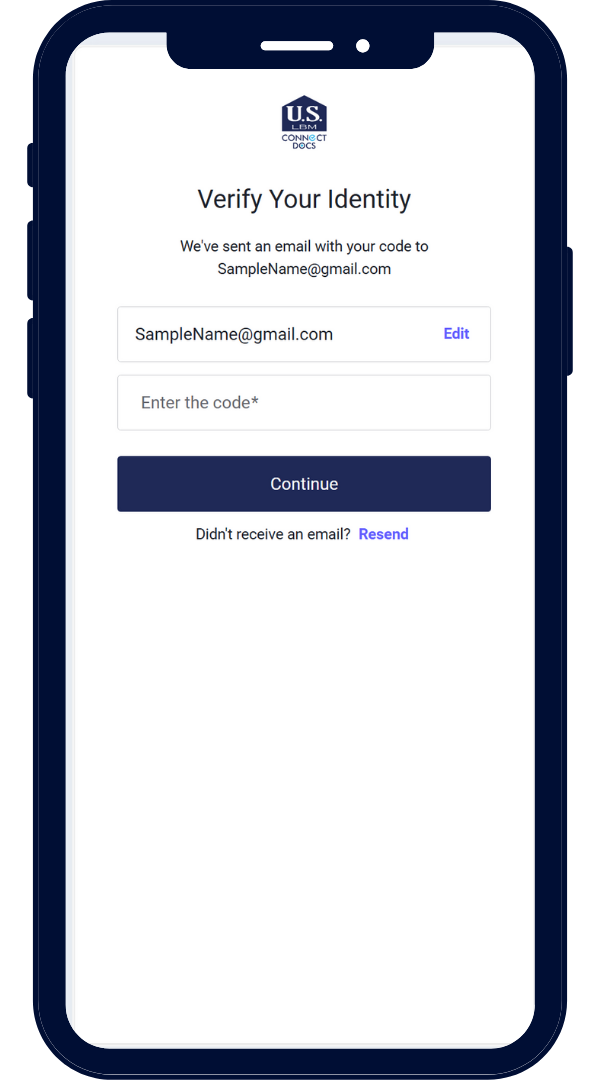
1 – SCAN THE QR CODE
Scan the QR code using your phone’s camera to open Connect Docs. You’ll be prompted to enter your email address, and a one-time password will be sent to your inbox. Enter the password to securely sign in and access your project documents.

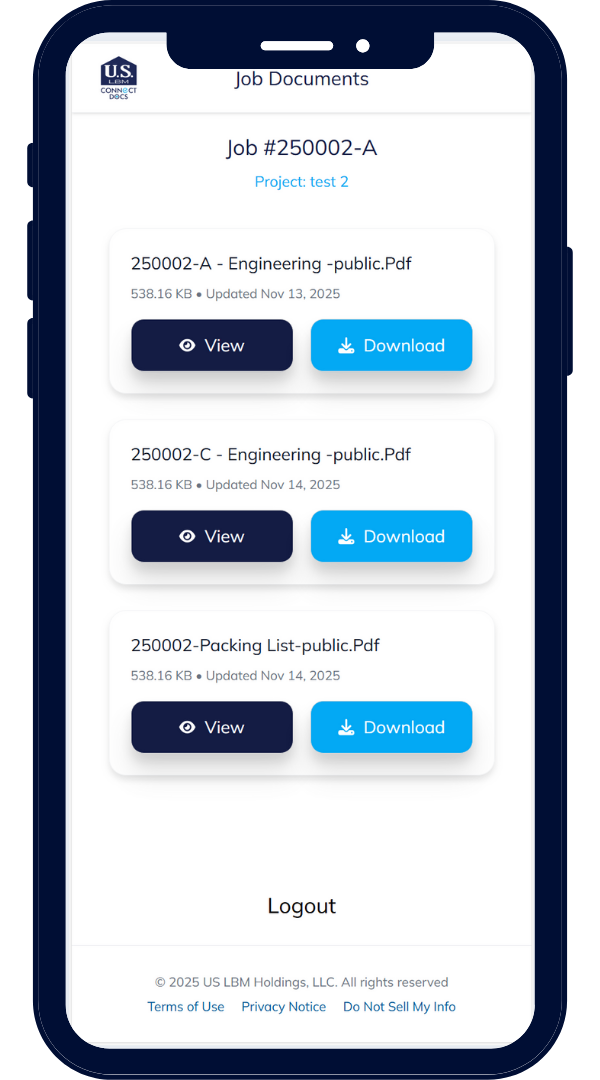
2 – VIEW DOCUMENTS
Each QR code is unique and allows you to access only those project documents safely and securely.

3 – DOWNLOAD & SHARE
Want to share? No problem! Connect Docs allows you to download and share documents with ease.

4 – NEED HELP?
Email [email protected] or your sales account representative.